What’s the best app blocker that unlocks distracting apps after I exercise?
Los artículos están en inglés.
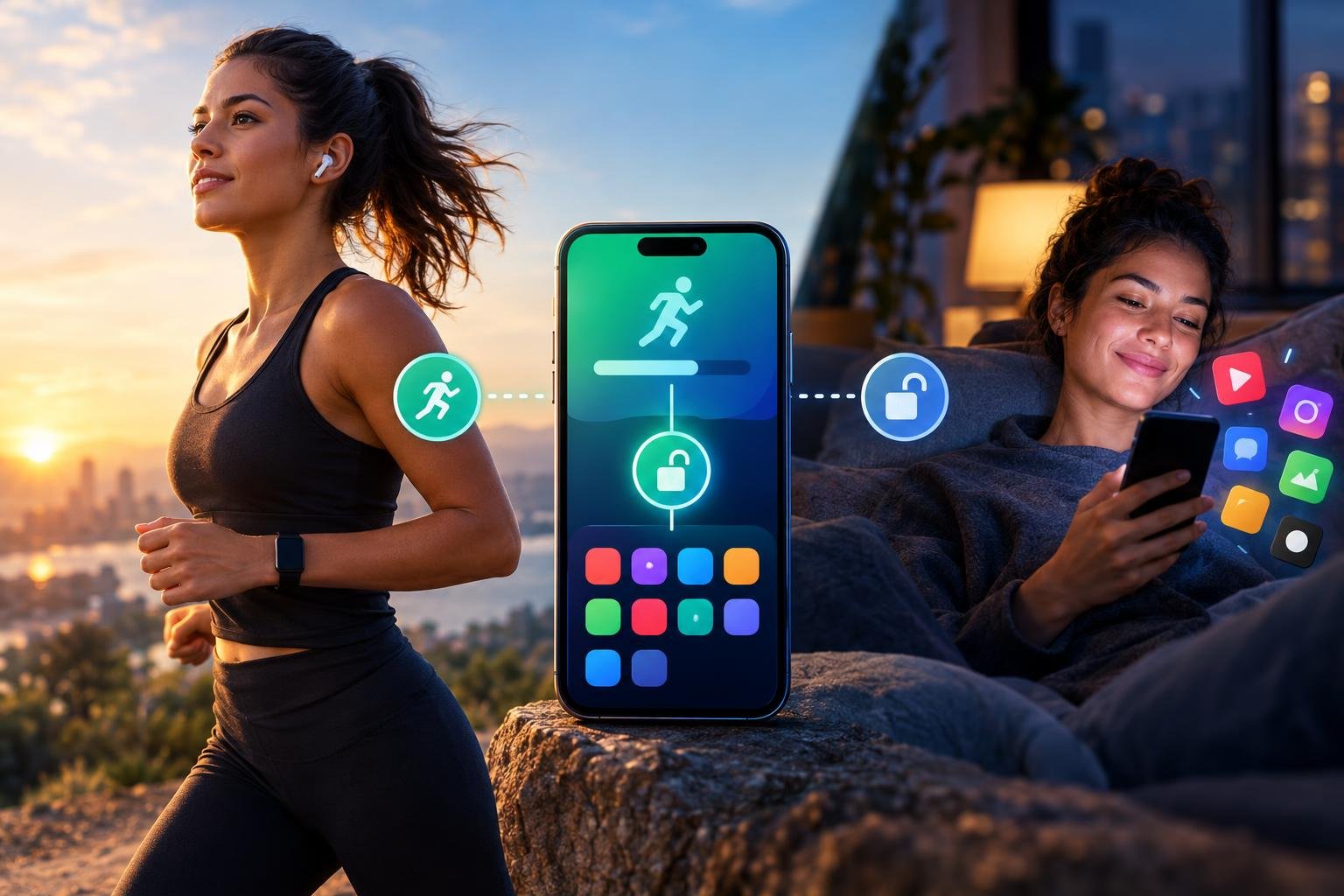
If you're asking what’s the best app blocker that unlocks distracting apps after I exercise?, the short answer is this: pick one where exercise is the actual key, where the phone itself checks that you did the movement, and where the reward is a limited block of time rather than a free pass for the rest of the day. That combination is rare. Outscroll is built around it: selected apps stay locked until you complete exercise counted through your phone's camera, and the minutes you earn become a deliberate scrolling session.
The rest of this article explains why those three features matter, how to compare blockers honestly, and how to set one up so you're still using it in a month.
What "best" should actually mean here
Most roundups rank blockers by feature count: schedules, usage reports, website filters, focus modes. That's the wrong yardstick for this particular problem. You don't have a feature shortage. You have a habit that fires before you've decided anything. You pick up the phone, your thumb finds an icon, and ten minutes later you're wondering how you got there.
So a good blocker for this problem has to do four things:
- Interrupt the reflex. The block has to show up at the moment of the automatic tap, not in a weekly report you'll read on Sunday.
- Be hard to talk yourself out of. If one tap on "remind me in 15 minutes" ends the block, it isn't a block.
- Give you a fair way through. Total lockouts get uninstalled. People need a path to the app that feels earned and reasonable.
- Make the path worth taking. The thing you do to get through should leave you a bit better off than before.
A blocker that opens apps after exercise covers all four at once, which is why the idea works better than it sounds on first read.
Why ordinary blockers get ignored
If you've tried built-in screen-time limits, you already know the pattern. You set 30 minutes for a social app. At 30 minutes a gentle screen appears. You tap "ignore limit for today." Done. The limit lasted as long as your patience.
That's not a character flaw. It's a design problem. The friction in a typical limit is a single tap, and a single tap costs almost nothing when you're tired, bored, or avoiding something. Willpower is weakest in exactly the situations where you scroll most: late evening, between tasks, waiting for something.
Stricter blockers fix the bypass problem by removing the bypass. Then they create a different one. A full lockout for a workday feels fine at 9 a.m. and absurd at 4 p.m. when you need to message someone. You override it, feel guilty, and the whole system starts to feel like a punishment you keep failing. Many people quietly delete these apps.
What's missing is a middle path: real friction, but friction with a door in it.
Four kinds of blockers, compared
Here's a rough way to sort what's out there. This is about the type of mechanism, not specific products.
| Type | How access works | Where it breaks down |
|---|---|---|
| Timer limits | Apps close after a daily allowance | One-tap overrides; easy to ignore |
| Schedule or lockdown blockers | Apps stay off during set hours or sessions | Feels all-or-nothing; people disable them when they need access |
| Friction blockers | A delay, puzzle, or pause before opening | Works for a while, then becomes muscle memory you click through |
| Earn-your-access blockers | Apps open after you complete an action, such as exercise | Needs a reliable way to verify the action |
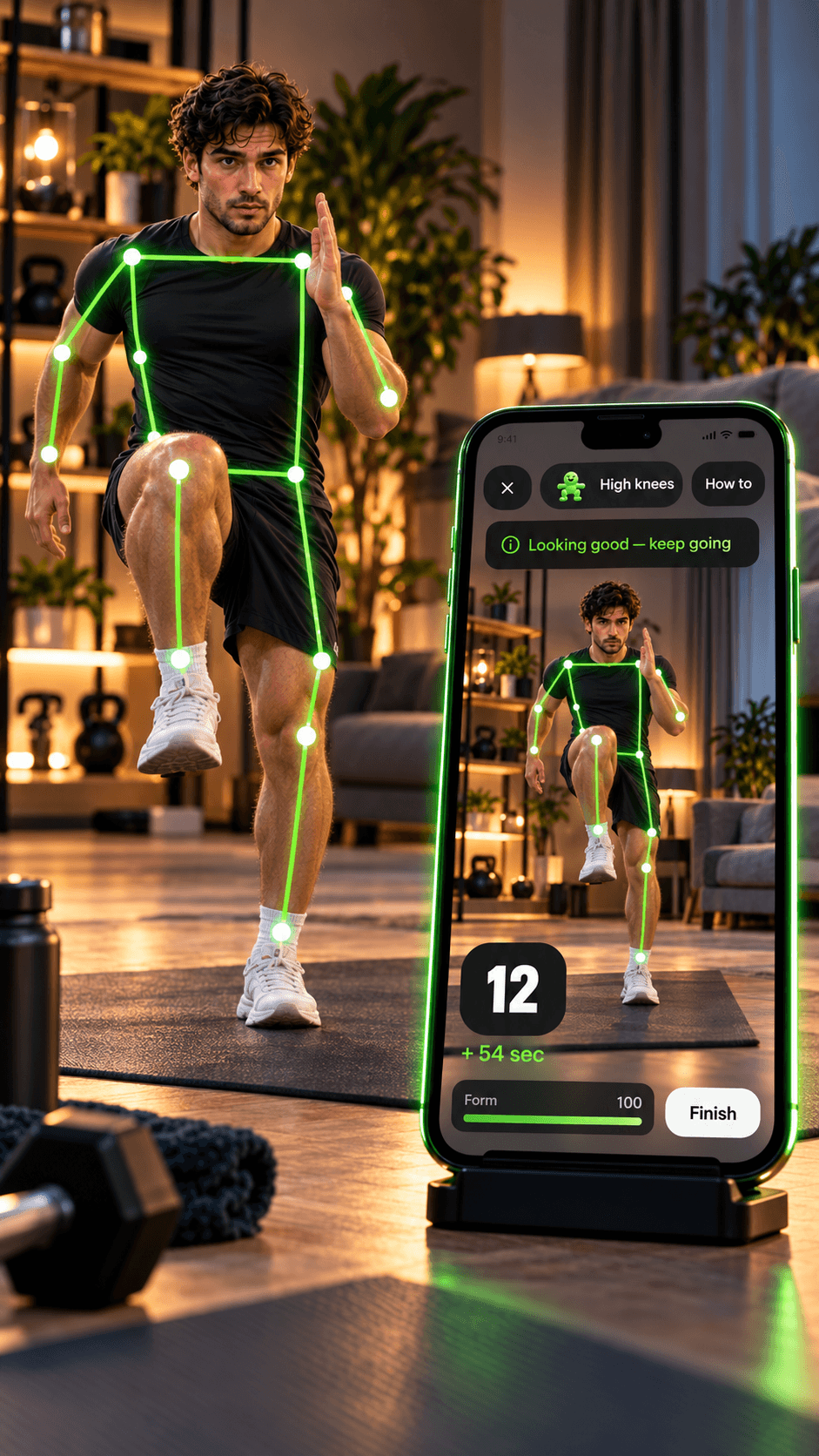
The last row is where the verification question matters. If a blocker says "exercise to open your apps" but relies on you tapping "I did it," you've rebuilt the one-tap override with extra steps. The check has to be independent of your honesty in the moment. That's the reason camera-counted exercise is the interesting part of Outscroll's approach. The phone sees the movement and counts it, so you can't award yourself a rep with a button. Outscroll also gives you a small free unlock each day, so you still have a little access without exercising.
How to judge an exercise-unlock blocker
Here's the direct way to judge it. Run any candidate through these questions.
Does it verify the exercise?
Self-reporting doesn't count. You want the app to confirm the movement happened. Outscroll uses the phone's camera to count exercise, so completing the movement is what moves the lock, not a button.
Does it block the apps you actually struggle with?
A blocker is only useful if it covers your real time sinks. With Outscroll, you pick the apps yourself. The free plan covers two, which is enough to start with your worst offenders.
Does it give you a limited session, not an open door?
This one gets overlooked. If finishing a workout opens everything until midnight, you've created a toll booth you only pay once. A better design converts exercise into earned minutes you spend on a bounded session. That keeps scrolling intentional: you chose to spend your minutes, and you can see them running down.
Is it kind about it?
The tone of a product shapes how long you stay with it. A blocker that shames you for every slip trains you to avoid opening it. Outscroll's positioning is the opposite: "A little movement. A more deliberate scroll." Small, nonjudgmental, repeatable.
Does it respect you as an adult?
You should be able to read what the app does with your camera and your data before you commit. Outscroll's answer is short: the camera frames are processed on your phone, in memory. They are never saved as video and never uploaded.
How Outscroll works in practice
The site's tagline is the whole loop: Move first. Scroll later.
- Choose the apps to lock. These are the ones that eat your attention, typically social or other scroll-heavy apps.
- Reach for one and get stopped. Instead of the feed, you get a prompt to move.
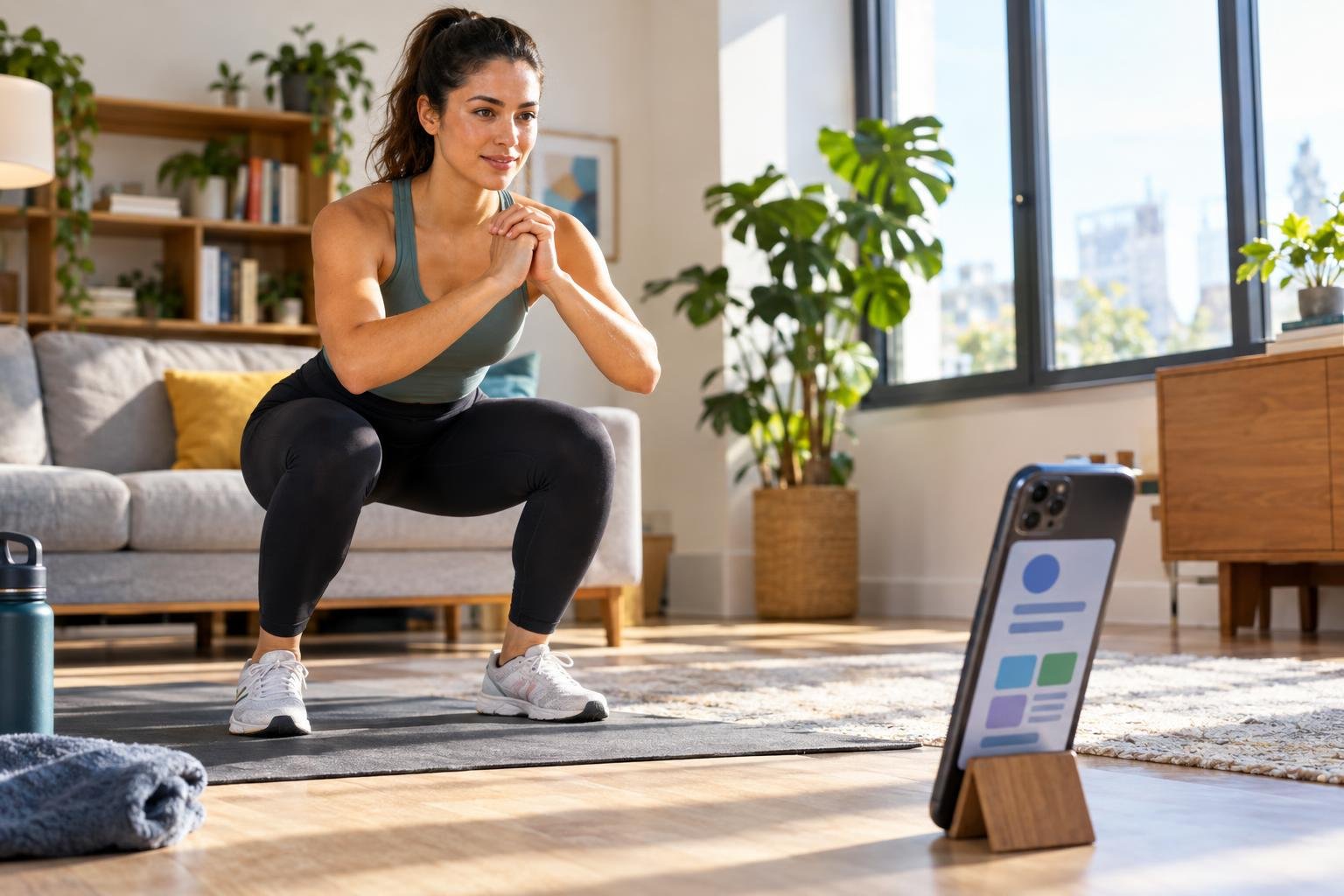
- Do the exercise. The phone's camera counts your movement.
- Earn minutes. What you complete turns into time you can spend.
- Scroll on purpose. One unlock opens all your blocked apps, and the clock only runs while one of them is open. Lock again early and the minutes you didn't use come back.
Notice what this does to the moment of temptation. The automatic tap now leads to a decision: do I want this enough to move for it? Sometimes the answer is yes, and you do ten push-ups and enjoy the scroll without guilt. Sometimes the answer is no, and you put the phone down. Both outcomes beat twenty unplanned minutes.
Outscroll has 40+ exercises, from push-ups and squats to planks and jumping jacks, and they all work with bodyweight alone. The counting happens on the phone itself. It is free to use with limits, with a Premium plan if you want more.
A checklist for judging any exercise-unlock blocker
Whether you land on Outscroll or compare it against something else, use this list. A blocker that fails the first two probably isn't worth your time.
- Independent verification: The app confirms movement itself.
- No unlimited bypass: Any free pass should be small and capped, not a button you can press all day.
- Earned, limited time: You spend minutes, not unlock a whole day.
- Selectable apps: You choose what's blocked.
- Reasonable effort per reward: A little movement should buy a usable session, or you'll resent it.
- Plain-language privacy information: Especially because a camera is involved.
- A path through bad days: Illness, injury, and travel happen. Outscroll gives you a short free unlock each day, and your steps earn minutes too.
- Tone that doesn't scold. You'll use what feels good to open.
That last point sounds soft, but it predicts retention better than most technical features.
Setting it up so it lasts
The best app blocker still fails if you configure it like a New Year's resolution. A few things that tend to work:
Start with one or two apps
Lock the apps that cost you the most, not your whole phone. If you lock fifteen apps on day one, you'll hit friction constantly and quit by Thursday. Begin with the single worst offender. Add a second after a week.
Keep the exercise small on purpose
The point is to interrupt the reflex and add movement to ordinary days, not to train for anything. A short burst you can do in a hallway beats an ambitious routine you only do when motivated. The first week is about building the loop, not the fitness.
Decide in advance what a session is for
Before you spend earned minutes, name the purpose: check messages, watch a few clips, catch up on one feed. Then stop when the minutes end. This is the "deliberate" in deliberate scrolling, and it takes about five seconds.
Pick your trouble times
Most people have two or three windows when scrolling goes sideways: first thing in the morning, the post-lunch slump, the hour before bed. If you know yours, you already know when the exercise gate will do the most good. A student might feel it hardest between study blocks. Someone in an office job might feel it at 3 p.m. Different lives, same pattern.
Expect the first week to feel annoying
You'll reach for an app out of habit and get stopped. That friction is the product working. The irritation usually fades once the new rhythm settles.

Who this approach suits (and who it doesn't)
It suits you if you:
- Check feeds automatically and want that reflex interrupted
- Have tried timers or limits and tapped past them
- Don't want to go full digital detox, only to be more intentional
- Wouldn't mind more everyday movement as a side effect
It may not suit you if you:
- Need a phone setup for strict parental or workplace control (that's a different category of tool)
- Can't do the kind of movement the app counts due to a health condition or physical limitation. In that case, talk to support about what's possible rather than forcing it
- Want a coach that grades your form. Outscroll counts generously on purpose. It does include full workouts and training plans built for your goal, but its job is to get you moving, not to judge technique.
Common mistakes people make with exercise-gated blockers
Treating the earned time as a loophole to game. If you do the minimum, immediately spend everything, then repeat all evening, you've built a slot machine. Set a loose daily ceiling for yourself.
Blocking too much, too fast. Frustration is the biggest reason people abandon blockers. Scale up slowly.
Judging yourself for slip days. A day when you skip the app or spend more than planned doesn't erase progress. The goal is a more deliberate default, not a perfect streak.
Doing the exercise half-attentively while scrolling in your head. The movement should be a real pause. Let it be the break.
Ignoring the settings once it's running. Revisit which apps are locked after two weeks. Your worst app might change.
Is it available in your language?
Outscroll's site comes in eleven languages, which helps if you'd rather read the details in your own. Here are a few: French, Spanish, German, Portuguese, and Japanese, with Italian, Indonesian, Vietnamese, Dutch, and Korean versions also available from the main site.
So, which one should you pick?
If your problem is automatic scrolling, choose the blocker that makes you pay a small, real cost before each session and then lets you enjoy that session without guilt. Verified exercise is a good currency for that, because it's something you can do in a couple of minutes, the camera does the counting, not a button, and it leaves you slightly better off than the scroll alone would.
Outscroll was designed around exactly that exchange: lock the distracting apps, count the movement with your camera, hand back earned minutes. You can read how it works on the Outscroll site, check the details on privacy and terms, and ask the support team anything the site doesn't cover. Outscroll is available on the Apple App Store and Google Play.
Start with one app. Move first. Scroll later.